Introducing Templates: Your Shortcut to PrintReady 3D Models
We know the feeling. You have an idea - a custom bracket, a decorative piece for a client, a part you've been meaning to redesign - and you just want to get to the print stage as fast as possible. Starting from a blank prompt every single time slows you down. That's exactly why we built Templates.
What Are Templates?
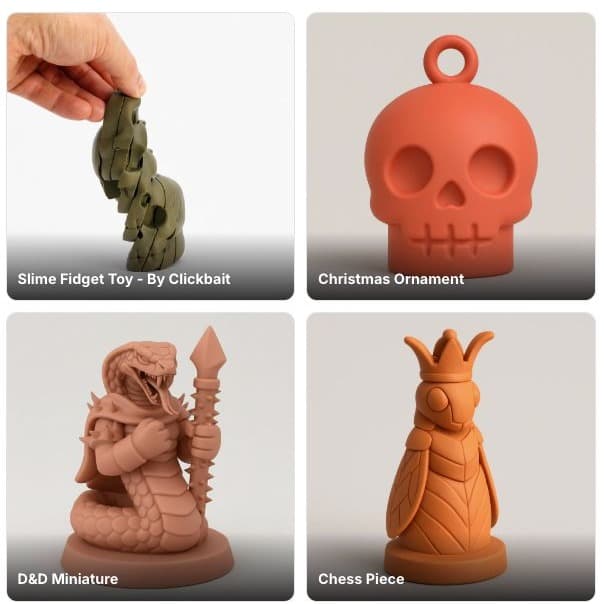
Templates are curated starting points for the most common types of 3D models our users create. Instead of describing your idea from scratch, you pick a template that's already close to what you need, and the AI takes it from there - filling in your customizations and generating a print-ready model in under three minutes.
Think of it like having a smart co-designer who already understands your industry, your printer, and what makes a model actually printable.
How It Works
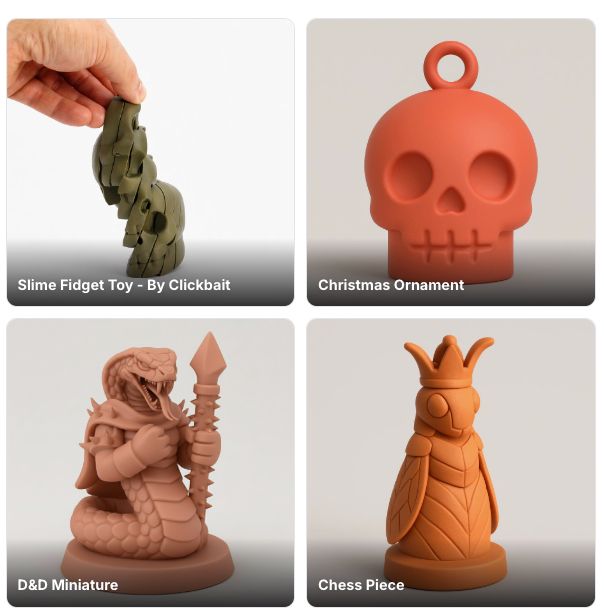
Browse the template library - categories cover functional parts, enclosures, decorative items, stands and mounts, custom name pieces, and more.
Pick the template closest to your idea - you don't have to be exact. The AI is flexible.
Describe your customization - tell it the dimensions, material, style, or any specific details in plain English.
Generate and print - your model is ready in minutes, not hours.
No CAD software. No design background required.
Who Is This For?
Print shop owners can now turn around client requests faster. A customer wants a custom logo stand? Pick the "branded display" template, drop in the details, and you're already prepping the slicer while your competitor is still opening Fusion 360.
Makers and hobbyists get a reliable starting point that's already optimized for printability - no more failed prints from geometry that looked fine in the preview but warped on the bed.
Entrepreneurs selling prints or designs can use templates to build a catalog quickly. Start with a template, generate ten variations, and you have a product line ready for Etsy or your own store.
Why Templates Matter
Before templates, every generation started from zero. That's powerful - but it also means more cognitive load on you. You have to describe not just what you want, but how it should be structured, what kind of geometry to use, and what constraints matter for your printer.
Templates encode all of that knowledge upfront. The AI already knows that an enclosure needs wall clearance for assembly. It already knows that a decorative clip needs the right flex geometry. You just focus on making it yours.
Get Started
Templates are available now inside the Kishmake generator. You'll find them on the main generation screen - look for the "Start from a template" option when you open a new project.
We're adding new templates every few weeks based on what our community is building. Have a type of model you'd like to see as a template? Let us know - we read every message.
KishMake is an AI-powered 3D model generator for print shops, makers, and entrepreneurs. Describe your idea in plain English and get a print-ready model in under 3 minutes.
Related reading
Run a 3D-print store? Embed KishMake into your site.
Join the API waitlist for early access to design-on-demand for your customers.
