Turn Any Shape Into a Working Grinder - With AI
Design a custom 3D-printable grinder with KishMake's AI. Describe any shape — a skull, a dragon, a pumpkin — and get a print-ready 3-piece grinder with grinding teeth and a collection chamber. No CAD, no cylinders.
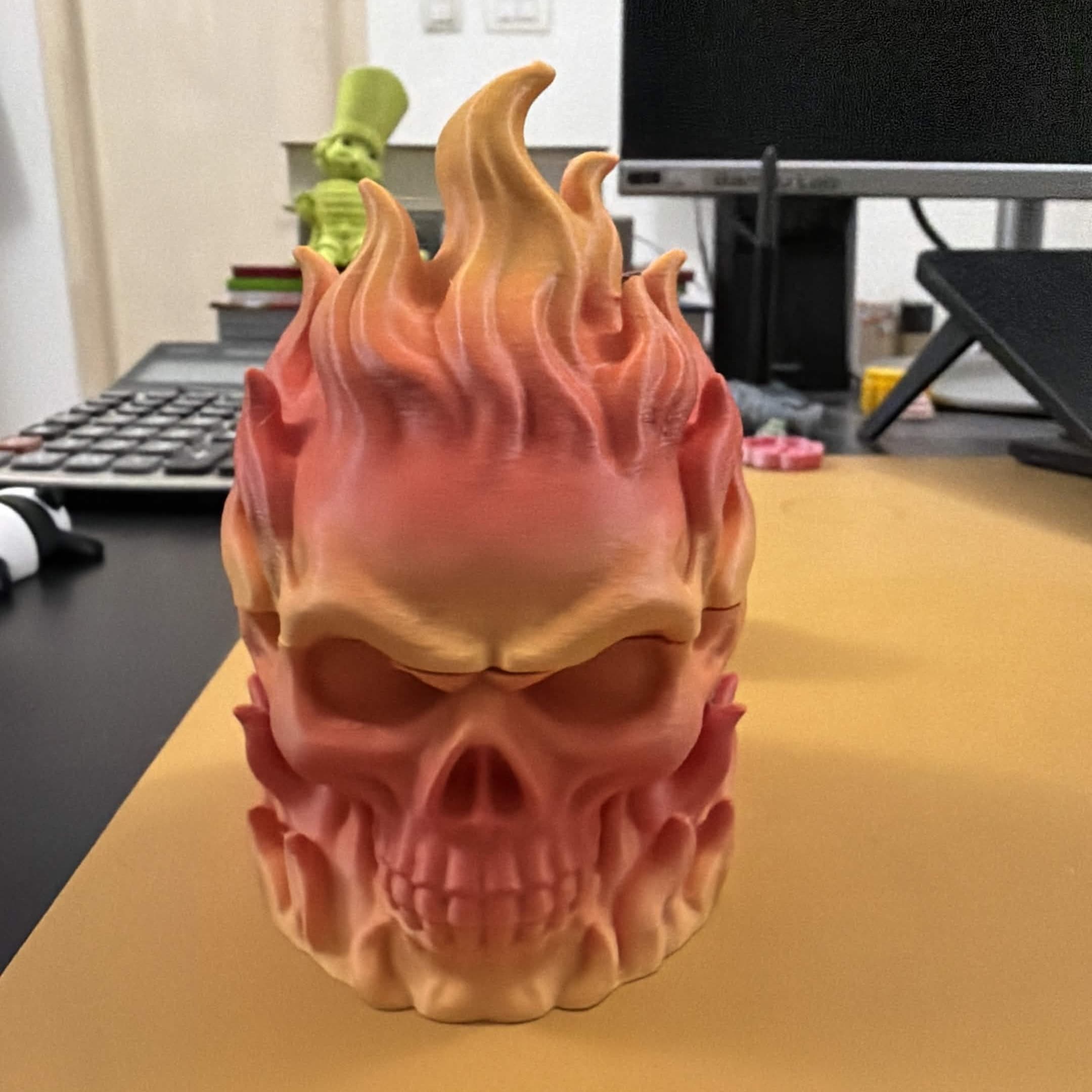
Turn Any Shape Into a Working Grinder With AI
Describe a skull, a dragon, or a pumpkin. Get back a fully functional 3-piece grinder, ready to print. No CAD, no boring cylinders.
Most grinders look the same. A metal cylinder, maybe a logo etched on the lid, and that's it. Functional? Sure. But there's nothing about it that feels like yours.
With KishMake's AI 3D model generator, that changes. Describe almost any shape you can imagine and get back a print-ready model that's already been cut into a working 3-piece grinder — a lid with grinding teeth, a grinding chamber, and a collection chamber underneath. A skull. A dragon's head. A pumpkin. A mushroom. Whatever you describe, KishMake builds it and slices it so it actually works.
No More Boring Cylinders
The whole point of the Grinder template is that the shape is up to you. You're not picking from a catalog of three designs — you're describing one in plain language and letting the AI handle the rest.
Keep your prompt short and concrete. One to six words works best: "angry skull," "coiled dragon," "carved pumpkin," "smiling mushroom." The AI takes that idea and turns it into a solid, printable object — then does the hard part automatically, separating it into three pieces that thread together and grind.
That last part matters. Cutting a model into a functional grinder by hand means modeling internal teeth, aligning chambers, and getting tolerances right so the pieces actually fit. KishMake does that for you. You bring the idea; it handles the engineering.
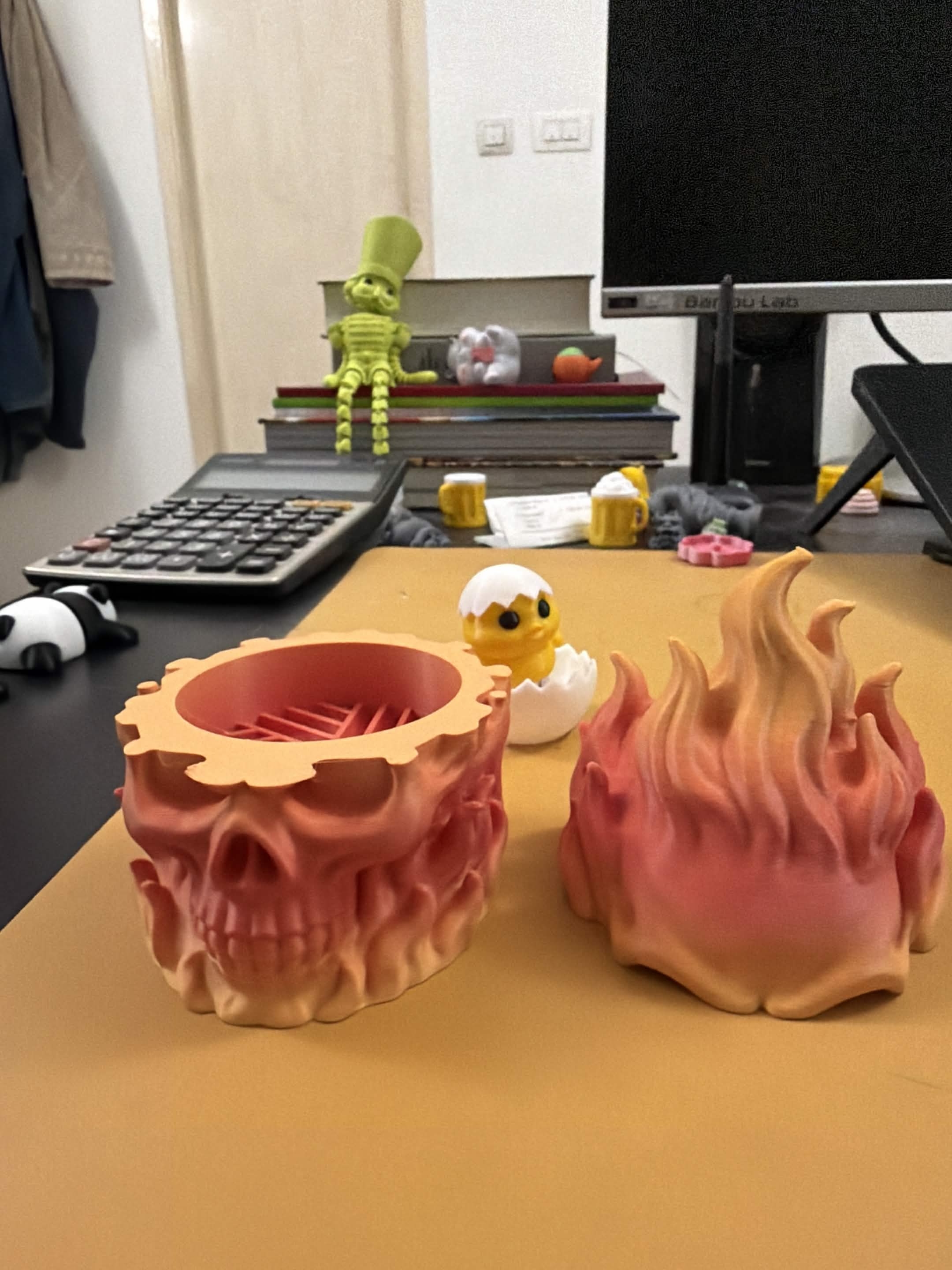
How It Works
Going from idea to print-ready files takes about three minutes and three steps:
Describe your grinder. Tell the AI the creature, character, or theme you want. Short and concrete wins.
Edit the draft. Tweak the shape and theme until it looks right. If the first result isn't quite there, refine it with another prompt.
Align the cut and download. Position the cut exactly where you want it on your shape using a live 3D preview, then download print-ready files for all three pieces.
You stay in control of where the grinder splits. The live preview lets you slide the cut up or down so it lands in the right spot for your specific shape — no guessing, no reprinting because the lid ended up in the wrong place.
Printing Tips
A grinder is a functional, moving object, so a few print settings make a real difference:
Print in PLA or PETG for a first pass. PETG holds up better to handling and twisting over time.
Watch your tolerances. The three pieces need to rotate against each other. If they come out too tight, a light sand on the mating surfaces usually fixes it.
Mind the orientation. Printing the grinding teeth flat-side-down generally gives the cleanest, sharpest teeth.
Start with one piece. Print the lid first to check fit and detail before committing to the full set.
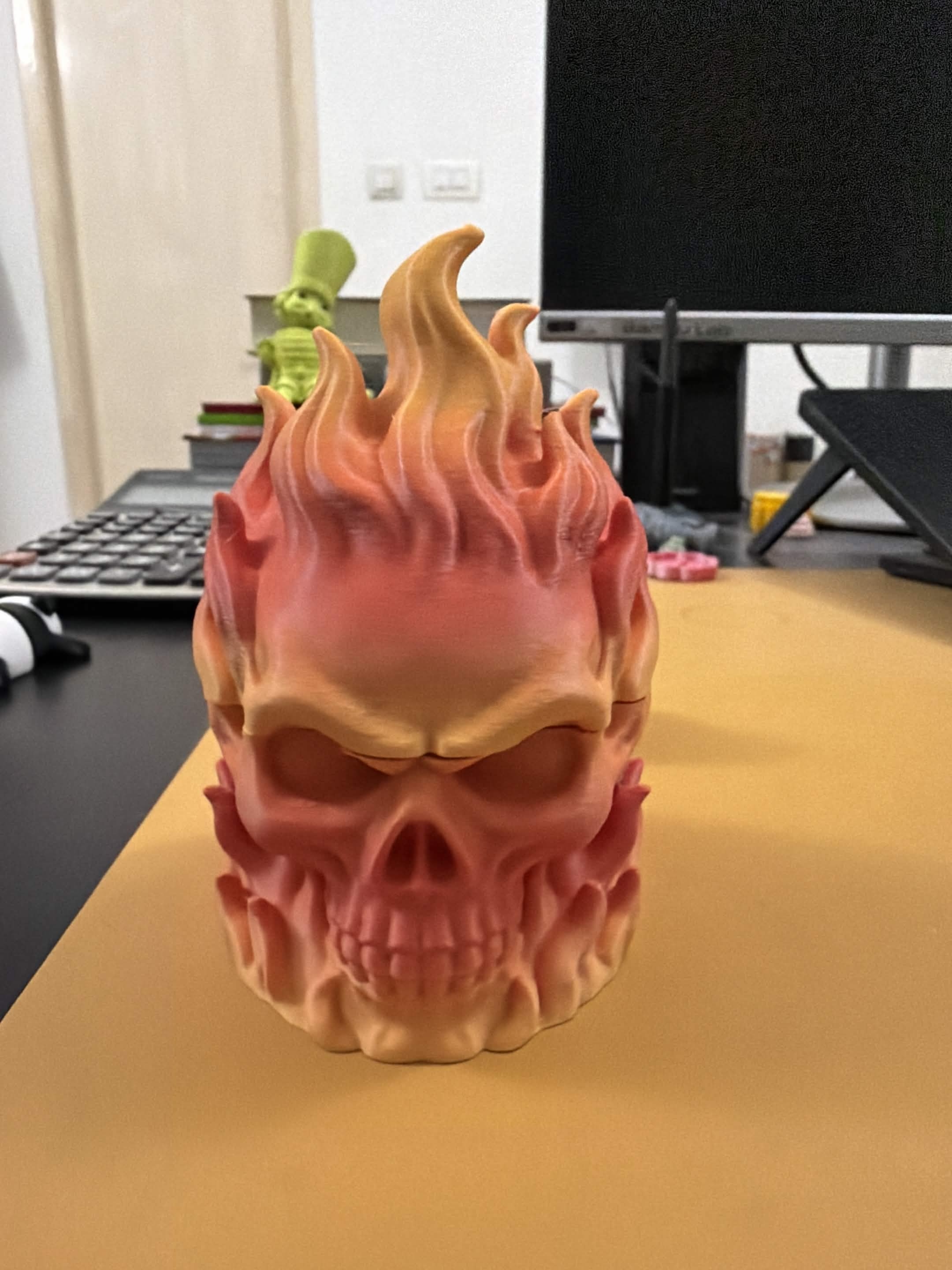
Why This Is a Great Project
A custom grinder hits a sweet spot. It's genuinely useful, it's small and fast to print, and it's the kind of object people actually want to show off. A grinder shaped like a skull or a dragon is a conversation piece, not just a tool.
It also makes a great gift -far more personal than anything off a shelf - and it photographs beautifully, which matters if you're building a maker portfolio or thinking about selling your designs down the line.
Start Designing Today
No CAD skills. No hours in Blender. Just an idea and about three minutes. Pick a shape, describe it, align the cut, and print.
Try the Grinder template on KishMake and design your own today.
Meta description: Design a custom 3D-printable grinder with KishMake's AI. Describe any shape and get a print-ready 3-piece grinder with grinding teeth and a collection chamber — no CAD, no boring cylinders.
Related reading
Run a 3D-print store? Embed KishMake into your site.
Join the API waitlist for early access to design-on-demand for your customers.
