The Easiest Way to Design for 3D Printing Today — Powered by AI
Three minutes. That's all it takes to go from an idea to a print-ready 3D model with Kishmake. Start from text or image, refine your design with simple AI prompts, and hit Generate. No CAD skills, no design experience needed.
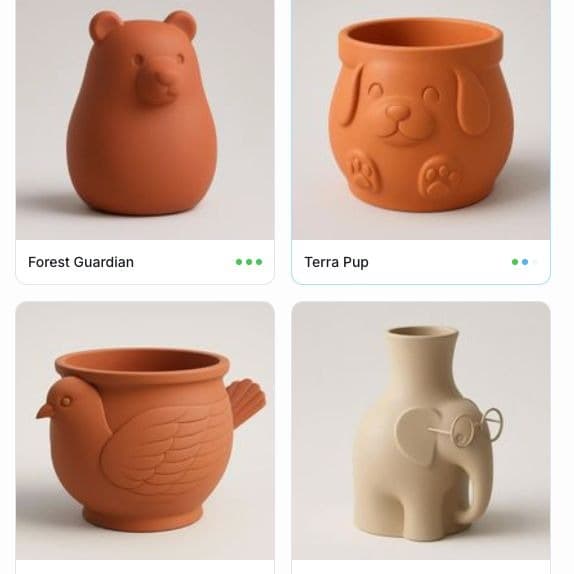
The Easiest Way to Design for 3D Printing Today — Powered by AI
Three minutes. That's all it takes to go from an idea in your head to a 3D model ready to print.
If you've ever wanted to create your own 3D-printed objects but stopped yourself because you "don't know how to design" — this post is for you. Kishmake was built for exactly that moment. It's an AI-powered 3D model generator designed to make the design process as simple and efficient as possible, without any CAD software, without any technical skills, and without wasting hours learning tools that weren't made for makers.
Here's how it works.
Step One: Pick Your Starting Point
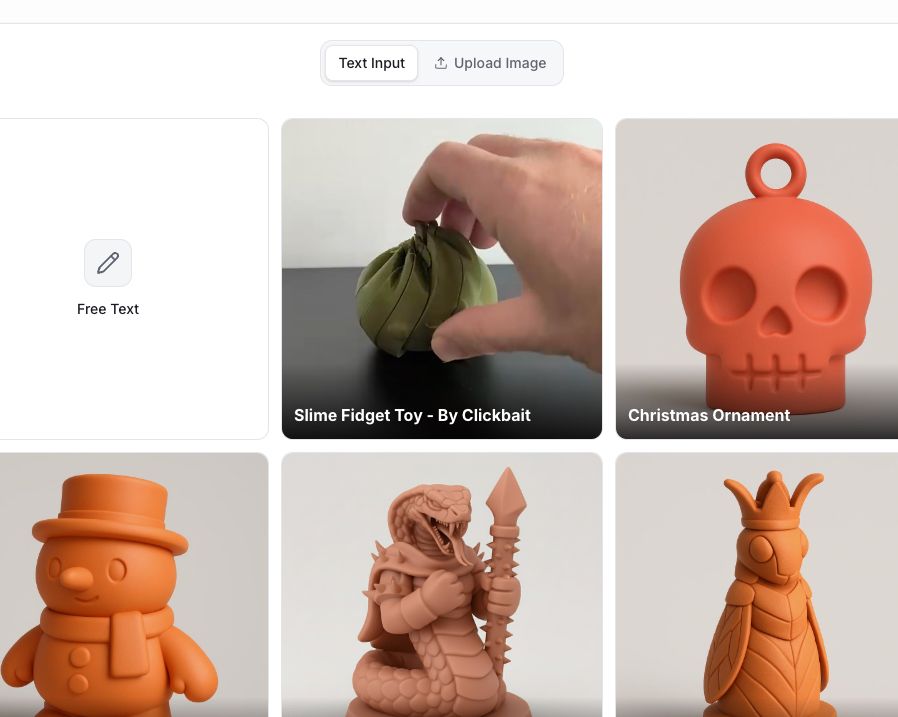
When you open Kishmake, you get two ways to start your design — and both are surprisingly powerful.
Start from text. Describe what you want in plain language. "A medieval warrior holding a shield." "A geometric vase with hexagonal patterns." "A tiny dragon curled around a d20." Kishmake's AI turns your words into a visual concept that forms the basis of your 3D model.
Start from an image. Already have a reference image — a sketch, a photo, a screenshot of something you love? Upload it. Kishmake uses it as the foundation and works from there. This is especially useful when you have a very specific look in mind that's hard to put into words.
Either way, you're not starting from a blank canvas. You're starting from your idea.
Step Two: Choose Your Path — Templates or Freeform
Whether you're working from text or image, Kishmake gives you another choice: use a template or go fully custom.
Templates are great when you want a polished result fast. They give your model a defined style and structure from the start — useful for common categories like character figurines, household objects, or decorative pieces. Pick a template that fits your direction, and Kishmake builds your design within that framework.
Going freeform gives you total creative control. No constraints, no predefined style — just your imagination and the AI working together. This is the mode for people who have a genuinely original idea and want to see it realized exactly as they pictured it.
Step Three: Edit Until It's Exactly Right
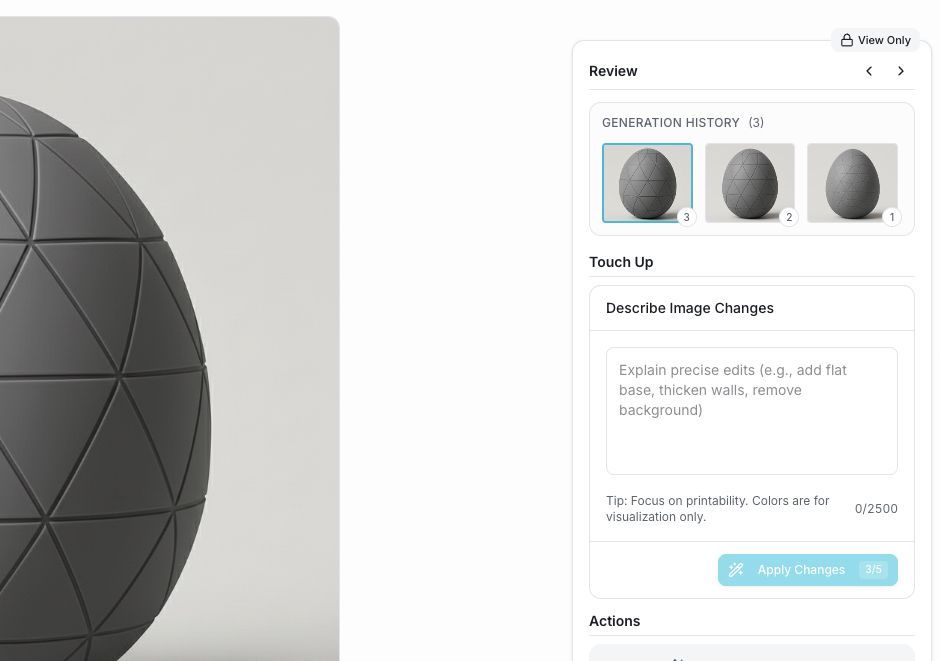
Here's where Kishmake really shines. Once you've got your first image generated, you're not locked into it. You can refine, adjust, and reshape the design using natural language — just by describing what you want to change.
Say you've generated a D&D ranger character and she's holding a sword. You decide a warhammer would suit her better. You don't need to remodel anything. You just write: "Replace the sword with a warhammer." Done.
Want to add a cape? Write it. Want to remove the helmet? Write it. Want to make the base wider or the silhouette more dramatic? Write it. The AI understands what you're asking and applies the change while keeping everything else intact.
This iterative approach — generate, look, refine, look again — is what makes Kishmake feel less like a design tool and more like a creative conversation. You're not fighting with software. You're collaborating with it.
Step Four: Generate Your 3D Model
When the image looks exactly the way you want it — proportions right, details right, overall feel right — you hit Generate.
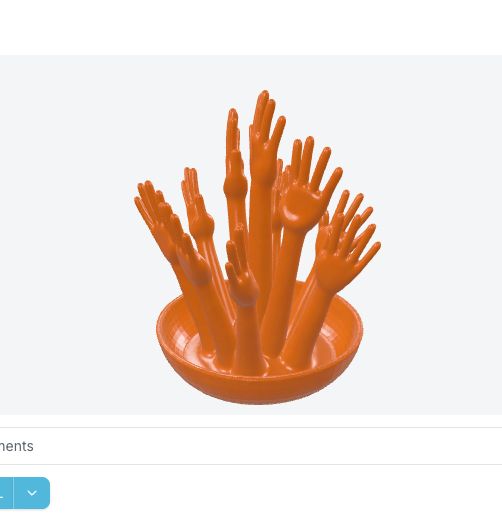
That's it. One click, and Kishmake converts your AI-designed image into a print-ready 3D model. No manual conversion, no cleanup, no exporting headaches. The file comes out ready to send to your slicer and then to your printer.
From the moment you had your idea to the moment you have a 3D file in hand: roughly three minutes. Maybe a little more if you really get into the editing. But three minutes is a realistic starting point for a clean, simple model — and that's genuinely remarkable.
Why This Changes Everything for Makers
The traditional path to a custom 3D model looked something like this: spend weeks learning CAD software, watch hours of tutorials, make something that looks nothing like what you imagined, and eventually give up or pay someone else to design it for you.
Kishmake collapses all of that. The barrier between "I have an idea" and "I have a model" used to be enormous. Now it's a text box and a button.
That matters for hobbyists who just want to print something personal. It matters for small business owners who want custom products without hiring a designer. It matters for educators, cosplayers, prop makers, gift creators, and everyone in between who has ever thought "I wish I could make that."
You can. And now it's actually easy.
Try It for Yourself
The best way to understand what Kishmake can do is to use it. Think of something you'd love to hold in your hands — something specific, something yours — and describe it. You might be surprised how quickly it goes from idea to object.
Start designing with Kishmake
Meta description: Kishmake lets you design 3D-printable models with AI in minutes — start from text or image, edit with simple prompts, and generate a print-ready file. No design skills needed.
Related reading
Run a 3D-print store? Embed KishMake into your site.
Join the API waitlist for early access to design-on-demand for your customers.
